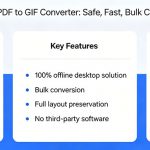

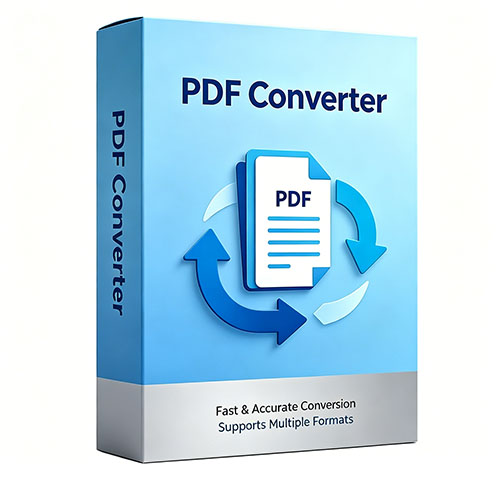
The all-in-one PDF converter is a dependable, secure tool that lets you transform PDF files into a wide range of popular formats. Simply download the software, and you can convert PDFs to HTML, TXT, RTF, PDF, EML, MSG, PST, XPS, MHT, EMF, EPUB, OXPS, JPG, GIF, BMP, PNG, TIFF, DOC, and DOCX.
It works as an offline PDF exporter, so you can convert confidential documents with complete privacy. Every conversion preserves the original quality and critical details of your files. No Adobe Acrobat or other third-party applications are required to process your PDFs, and you can export them into 19 widely used formats with ease.
100% Safe & Secure
100% Free
Convert PDF Files into 19 Generic Formats
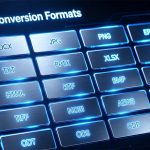
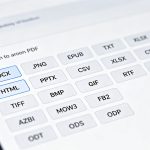
EayTools PDF Converter Wizard provides 19 mainstream output formats, including images, standard documents, email files and e-book formats. You can freely pick the target format that matches your usage requirements.
Available conversion options:
- PDF to HTML
- PDF to TXT
- PDF to RTF
- PDF to EML
- PDF to MSG
- PDF to PST
- PDF to XPS
- PDF to MHT
- PDF to EMF
- PDF to PDF
- PDF to EPUB
- PDF to OXPS
- PDF to JPG
- PDF to GIF
- PDF to BMP
- PDF to PNG
- PDF to TIFF
- PDF to DOC
- PDF to DOCX
Why Convert PDF Documents?
Editing
PDFs are often read-only by design, making direct edits impossible due to built-in restrictions. For this reason, many users convert their PDFs to editable formats like DOC, TXT, and RTF, allowing them to modify text, adjust formatting, and make changes freely.
Reusability
PDFs store a rich mix of text, images, graphics, and multimedia content. When users want to repurpose this content elsewhere—such as web developers converting PDFs into images for online use—a PDF converter makes it easy to extract and reuse these elements in new contexts.
Accessibility
Not all applications support native PDF viewing. When users need to open their documents in programs that can’t handle PDFs, converting to alternative formats solves the problem. For example, saving as EML lets users read the content across multiple email clients.
Integration
Integrating PDFs with other software tools is often necessary for workflow efficiency. A PDF converter simplifies this process: choosing PST as an output format, for instance, makes PDF content directly compatible with Outlook, enabling seamless integration with email and productivity platforms.
Sharing
Both personal and professional users frequently need to share PDF content in formats that are more widely supported or tailored to specific recipients. With a full range of output options, a PDF converter lets users select the ideal format for easy, hassle-free sharing.
Printing
Occasionally, PDFs may not print correctly due to formatting or compatibility issues. In such cases, converting the document to print-friendly formats like JPEG ensures the content appears as intended on paper, with consistent quality across devices.
Essential Features of the PDF Converter Tool
Bulk PDF Conversion
EayTools PDF Converter is designed for batch PDF processing, with no restrictions on file size or total number of files. Rigorously tested and reliable, it lets you export PDFs to various formats while keeping all original content intact.
Preserve Every Detail in PDFs
The converter fully retains all elements of your PDFs throughout conversion. Once installed, it seamlessly migrates text, images, fonts, hyperlinks, fillable forms, bookmarks and all other key content from your original files.
Flexible Ways to Load PDF Files
This offline Windows-based PDF converter provides two practical ways to import files: select individual PDFs or load entire folders. Pick the method that best fits your needs to start conversion.
Convert Only Needed PDFs
After importing files, you can tick or untick checkboxes to pick specific documents. This feature lets you easily exclude unwanted files and run targeted conversions.
Set Your Preferred Save Location
The tool sets Desktop as the default save folder for converted files. You may opt to save outputs to the original source folder, or click the Browse button to pick any custom directory on your device.
Convert PDFs Without Adobe Tools
This is a fully independent program. You can convert PDF pages to common formats without installing Adobe Acrobat or extra third-party software. Simply install it on your Windows PC to start processing files right away.
Who Should Consider using PDF Converter Software?
Identifying the Ideal Candidates for PDF Conversion

Business Professionals
From finance to retail, business professionals often require PDFs to be converted into industry-specific formats. That’s why this all-in-one PDF tool offers 19 different export options — giving you the flexibility to handle any document task, no matter your sector. Streamline your document management with a tool built for versatility.

Graphic Designers
Graphic designers often face the challenge of converting PDFs into high-quality images. This software is tailored to that need, offering seamless PDF-to-image export. For projects demanding professional-grade visuals, simply choose TIFF to ensure every output retains exceptional resolution and clarity.

Digital Publishers
Digital creators and publishers frequently need to transform PDFs into eBook formats such as EPUB. Why EPUB? Because it’s optimized for seamless reading across any device or screen size, adapting to individual reading preferences with ease. Ready to see the difference? Download the trial version and explore its capabilities for yourself.

Students & Academic
Converting scholarly PDFs—whether journal articles, study notes, or thesis drafts—into editable formats like DOC, RTF, and TXT is a common challenge for students and academics. This PDF converter solves that by offering multiple editable saving options, allowing users to modify and repurpose content with ease. It’s built to support academic productivity from start to finish.
EayTools PDF Converter Wizard System Requirements
Software Download
File Size: 112MB
Version: 1.0.2.0
System Specifications
Hard Disk Space
200 MB of free hard disk space
RAM
Minimum 4 GB RAM
Processor
Intel® Pentium 1 GHz processor (2.4 GHz is recommended)
Supported Editions
Microsoft Windows – Windows OS 11 (64 bit), 10, 8, 7 (32 bit or 64 bit) & Windows Server 2025, 2022, 2019, 2016, 2012 R2, and 2008.
Electronic Delivery
Within about 15 minutes after your payment goes through, we’ll send you an email with your license keys and the latest download link.